Class to render HUD elements on the screen.
More...
#include <hud.h>
|
| | HUD (Window *window) |
| |
|
| ~HUD ()=default |
| | HUD manager destructor.
|
| |
| HUD_IMAGE * | NewHUDImage (std::string name, glm::vec2 position, glm::vec2 scale, float rotation, Texture *texture) |
| |
| HUD_PROGRESS_BAR * | NewHUDProgressBar (std::string name, glm::vec2 position, glm::vec2 scale, float rotation, Texture *underTexture, Texture *progressTexture, float minValue, float maxValue, float value) |
| |
| HUD_TEXT * | NewHUDText (std::string name, glm::vec2 position, glm::vec2 scale, float rotation, std::string textContent, glm::vec3 colour) |
| |
| HUD_IMAGE * | GetHUDImageByName (const std::string &name) |
| |
| HUD_PROGRESS_BAR * | GetHUDProgressBarByName (const std::string &name) |
| |
| HUD_TEXT * | GetHUDTextByName (const std::string &name) |
| |
| void | RemoveHUDImage (HUD_IMAGE *imageToRemove) |
| |
| void | RemoveHUDProgressBar (HUD_PROGRESS_BAR *progressBarToRemove) |
| |
| void | RemoveHUDText (HUD_TEXT *textToRemove) |
| |
|
void | Render () |
| | Renders all active HUD elements.
|
| |
| void | LoadFont (const char *filePath, int fontSize) |
| |
Class to render HUD elements on the screen.
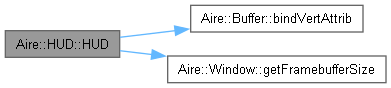
◆ HUD()
Creates the main HUD manager. All further HUD elements exist within the context of this object.
- Parameters
-
| window | object associated with the OpenGL context |
◆ GetHUDImageByName()
Retrieves a HUD IMAGE element by name
- Parameters
-
| name | Unique name of the element |
- Returns
- HUD_IMAGE* pointer to the element if found
◆ GetHUDProgressBarByName()
Retrieves a HUD PROGRESS BAR element by name
- Parameters
-
| name | Unique name of the element |
- Returns
- HUD_PROGRESS_BAR* pointer to the element if found
◆ GetHUDTextByName()
Retrieves a HUD TEXT element by name
- Parameters
-
| name | Unique name of the element |
- Returns
- HUD_TEXT* pointer to the element if found
◆ LoadFont()
Loads a .ttf font. Used for rendering all text HUD elements. (Only one font can be loaded at a time)
- Parameters
-
| filePath | path to the .ttf font asset file |
| fontSize | size of the font |
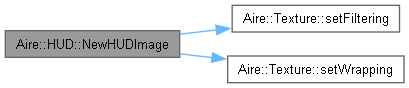
◆ NewHUDImage()
Creates a new HUD Image element. Will be rendered as long as it exists and its "Active" param is set to true.
- Parameters
-
| name | Name for the element. Can be used for retrieval and deletion later. |
| position | Position on the screen |
| scale | Scale of the element |
| rotation | Rotation of the element, in degrees |
| texture | Texture to render |
- Returns
- HUD_IMAGE* pointer to the created HUD IMAGE element
◆ NewHUDProgressBar()
Creates a new HUD Progress Bar element. Will be rendered as long as it exists and its "Active" param is set to true.
- Parameters
-
| name | Name for the element. Can be used for retrieval and deletion later. |
| position | Position on the screen |
| scale | Scale of the element |
| rotation | Rotation of the element |
| underTexture | Texture rendered (always in full) underneath the actual progress bar |
| progressTexture | Texture which will be rendered and scaled according to the "value" parameter |
| minValue | The lowest possible value the progress bar can represent |
| maxValue | The highest possible value the progress bar can represent |
| value | The current value of the progress bar (should be between the minValue and maxValue) |
- Returns
- HUD_PROGRESS_BAR* pointer to the created HUD PROGRESS BAR element
◆ NewHUDText()
| HUD::HUD_TEXT * HUD::NewHUDText |
( |
std::string | name, |
|
|
glm::vec2 | position, |
|
|
glm::vec2 | scale, |
|
|
float | rotation, |
|
|
std::string | textContent, |
|
|
glm::vec3 | colour ) |
Creates a new HUD text element. Will be rendered as long as it exists and its "Active" param is set to true.
- Parameters
-
| name | Name for the element. Can be used for retrieval and deletion later. |
| position | Position on the screen |
| scale | Scale of the element |
| rotation | Rotation of the element |
| textContent | The actual text content to be rendered |
| colour | Sets the colour of the text when rendered |
- Returns
- HUD_TEXT* pointer to the created HUD TEXT element
◆ RemoveHUDImage()
Deletes a HUD_IMAGE element
- Parameters
-
| imageToRemove | HUD_IMAGE* pointer to the element to be deleted |
◆ RemoveHUDProgressBar()
Deletes a HUD_PROGRESS_BAR element
- Parameters
-
| progressBarToRemove | HUD_PROGRESS_BAR* pointer to the element to be deleted |
◆ RemoveHUDText()
Deletes a HUD_TEXT element
- Parameters
-
| textToRemove | HUD_TEXT* pointer to the element to be deleted |
The documentation for this class was generated from the following files:
- source/rendering/hud.h
- source/rendering/hud.cpp




 1.10.0